

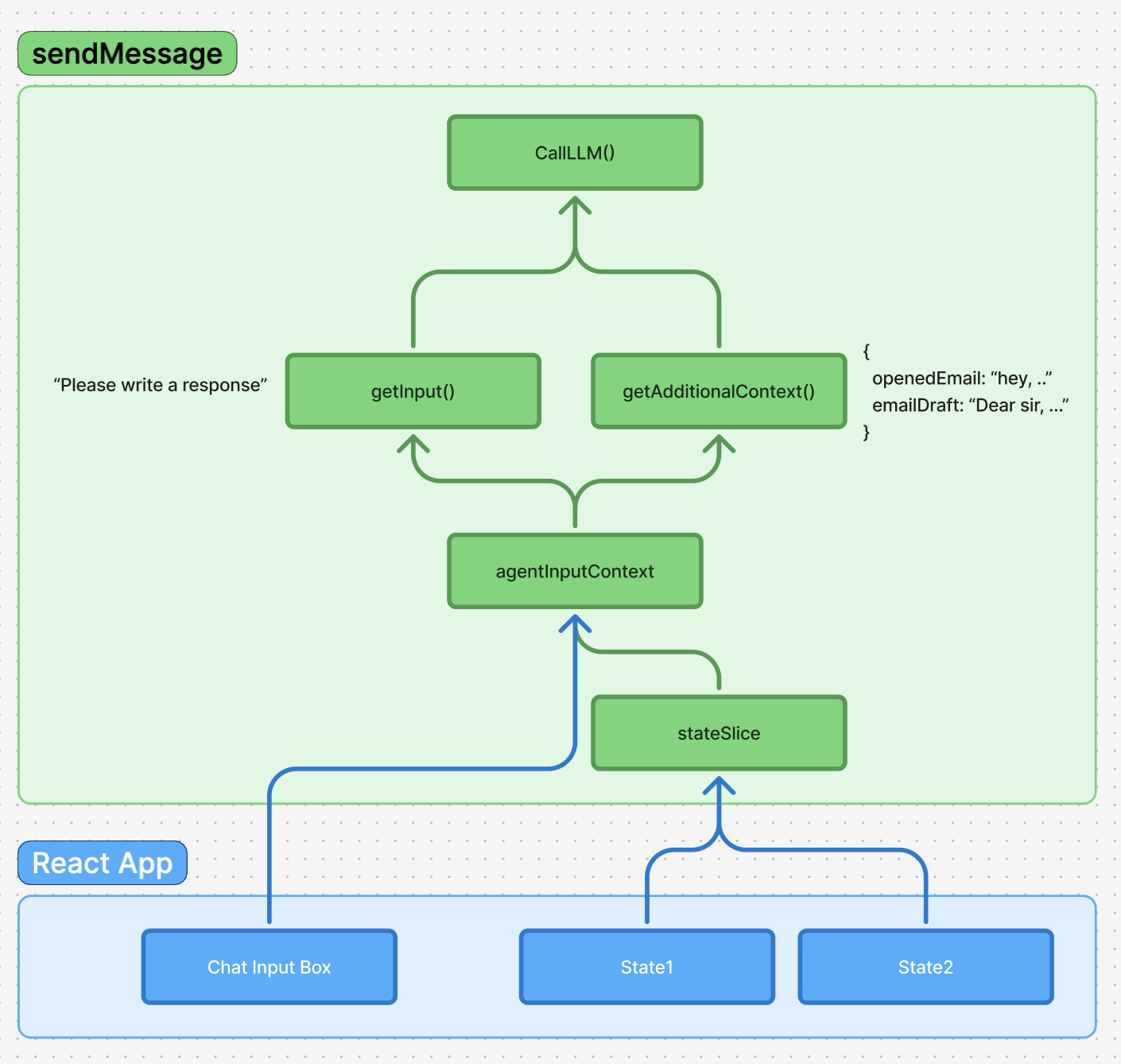
Preparing the Request Body
Before making any call to your agent backend, Cedar automatically assembles all the necessary context and data. This preparation process ensures your agent receives comprehensive information to generate meaningful responses.1
User prompt extraction
Cedar extracts the current user input from the chat editor, converting the rich text content into a clean string format.
2
State and context gathering
Cedar collects all subscribed state and additional context that has been registered with the agent input system.
The
agentContextSlice manages all context gathering. See Agent Input Context for details on how to subscribe state and provide context to your agents.3
Context tokenization
Cedar serializes the collected context into a structured format that your agent backend can parse and understand.
4
Network Request Body Structure
The network request body varies significantly between providers, allowing Cedar to work with different backend architectures while maintaining a consistent internal API.For mastra and Custom backends, we pass in additionalContext, state, and more as seperate fields to give you control over what you want to do with the context and state.For direct LLM calls, we automatically tokenise the additionalContext & prompt into one string for optimal responses.
Request Body Differences
Creating Your Own AI Workflow
Beyond using Cedar’s built-in agent connections, you can create custom AI workflows that leverage Cedar’s context system while implementing your own processing logic.1
Define your prompt
Create a function that defines a specific prompt for your workflow. This allows you to customize the AI’s behavior for your specific use case.
2
Extract specific additional context
Use Cedar’s context system to get exactly the data your workflow needs. You can filter and transform the context to match your requirements.
3
Call the LLM
Make the API call to your chosen LLM provider with your custom prompt and filtered context.
4
Handle the LLM response
Process the raw LLM response using Cedar’s response handling system to ensure proper integration with your application.
5
Custom parsing and return
Add your own parsing logic to extract structured data from the LLM response and return it in the format your application needs.
Typed Backend Integration
Cedar-OS now supports fully typed backend integrations with generic sendMessage parameters. You can specify custom field types and additional context types for enhanced type safety:For more advanced response processing patterns and custom response handlers,
see Custom Response
Processing to learn how
to create sophisticated response processors that can handle streaming,
actions, and complex data transformations.